

Apartment intercom: indoor screens or a phone app?
By Namra Shah · Cabling For U · Auckland · Updated October 2026
When a body corporate replaces its intercom, the first big choice is how residents answer the door. A screen on the wall in every apartment, the Hik-Connect app on their phone, or both. Each works well in the right building, and each has trade-offs that are easy to miss.
Short answer: Indoor screens are the most reliable choice and keep working without the internet. A phone-app-only system costs less upfront and suits buildings where cabling every apartment is hard, but it needs reliable internet and has yearly licences. Many Auckland buildings choose both: a screen in each apartment, with phone answering for residents who want it.
- Hikvision screens and Hik-Connect app
- Itemised written quote for the body corporate
- 12-month workmanship warranty
The three options
Indoor screens
- A video screen on the wall in each apartment
- Calls stay on the building’s own network
- Managed on site with HikCentral Professional
Phone app only
- Door stations call residents’ phones directly
- No screens in apartments
- Managed online in Hik-Connect Team
Both
- A screen in each apartment
- Phone answering for residents who want it
- The most flexible, and the most common choice
Screens and the app side by side
| Indoor screens | Phone app only | |
|---|---|---|
| Answer when away from home | Only with Wi-Fi screens linked to the Hik-Connect app | Yes |
| Works if the building’s internet is down | Yes, calls stay on the building network | No, calls go through Hikvision’s cloud |
| Equipment in each apartment | A screen on the wall, cabled | None |
| Upfront cost | Higher: a screen and cable for every apartment | Lower: door stations and controllers only |
| Ongoing cost | No yearly cloud licences (the on-site software is licensed separately) | Yearly cloud licences per apartment, door and lift |
| Easy for older residents and children | Yes, press a button on the wall | Needs a smartphone |
| Building manager tools | HikCentral Professional, in the building | Hik-Connect Team web portal, from anywhere |
When indoor screens make sense
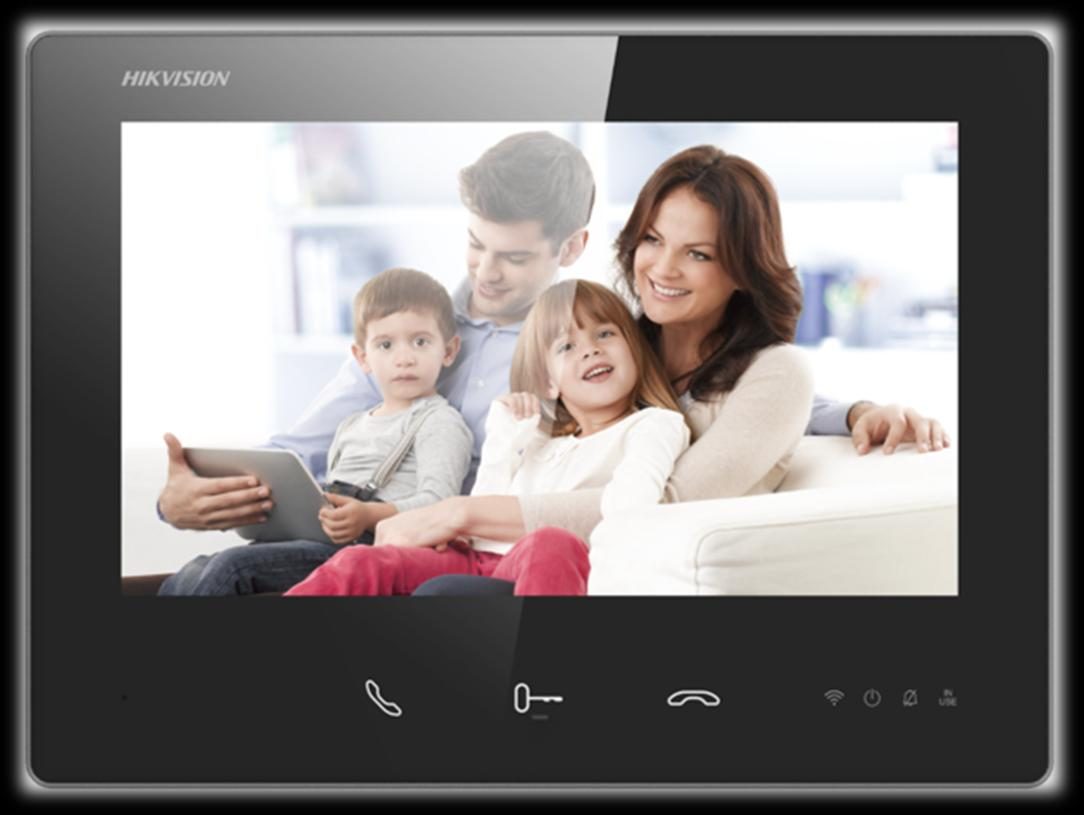
- Older residents or families. A screen on the wall is simple for anyone to use, with no phone or app needed.
- Internet you can’t rely on. An on-site system keeps calls and door release on the building’s own network.
- No yearly cloud licences. The body corporate isn’t committing to a yearly licence for every apartment. The on-site software is licensed separately.
- Local control. Records and settings stay on the building’s own system.
- Bigger apartments. On an IP system, an apartment can have up to six screens, for example one upstairs.
When the phone app makes sense
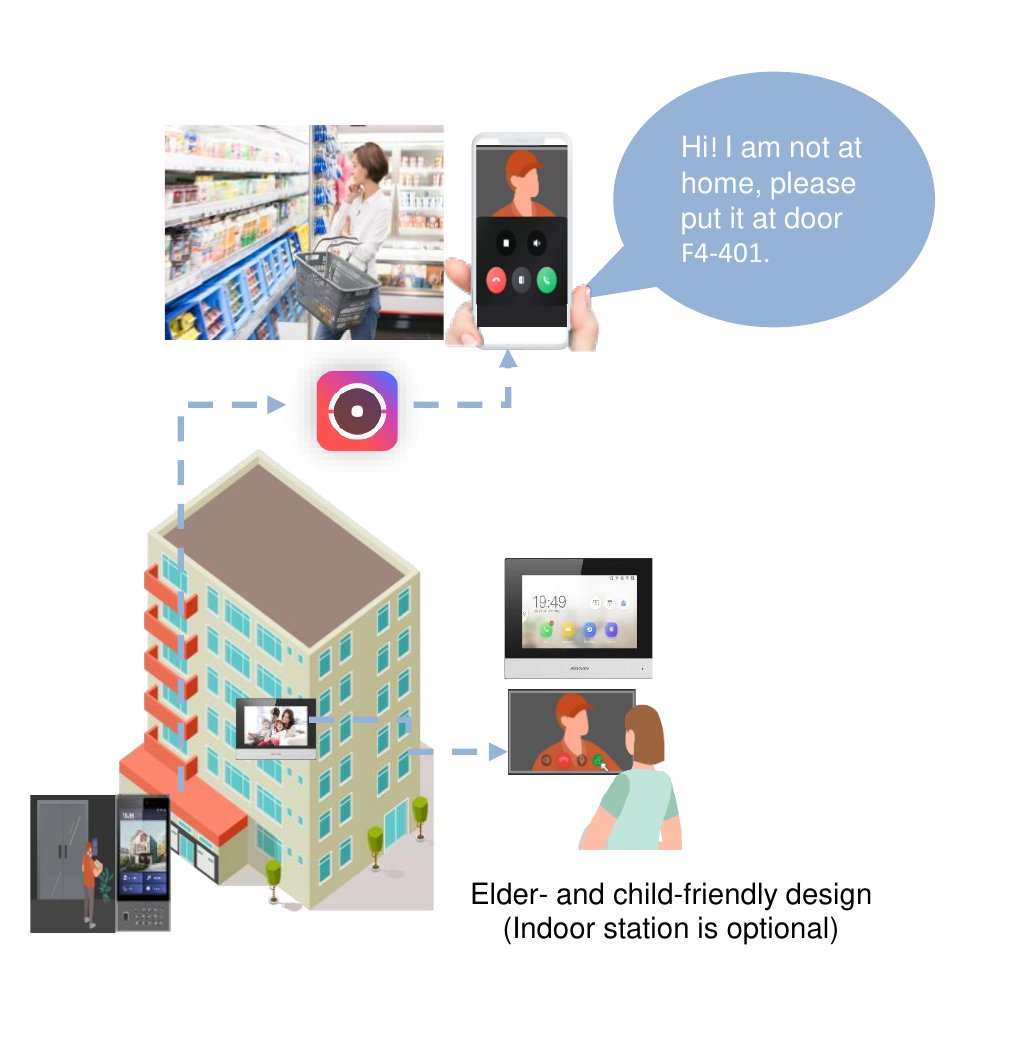
- Cabling every apartment is hard. No screens means no cable runs into occupied apartments.
- Residents are often out. They can see and answer the door, and unlock it, wherever they are.
- Visitors and deliveries. Residents can send a QR code or PIN that works for a set time and number of uses.
- Missed calls. Residents see a photo of who rang, even if they didn’t answer.
- No manager on site. The building can be managed online, including adding residents and opening doors remotely.
- A lower upfront cost. The system needs door stations and controllers, but no screen in each apartment.
Why many buildings choose both
Screens and phone answering aren’t either-or. When an apartment has a screen, the door station calls the screen. Residents who also want to answer on their phone can do that with a Wi-Fi model of the indoor screen linked to the Hik-Connect app.
That gives every apartment a reliable screen that works without the internet, while residents who want phone answering still get it. It also means nobody is left out because they don’t have a smartphone.
What the phone app needs
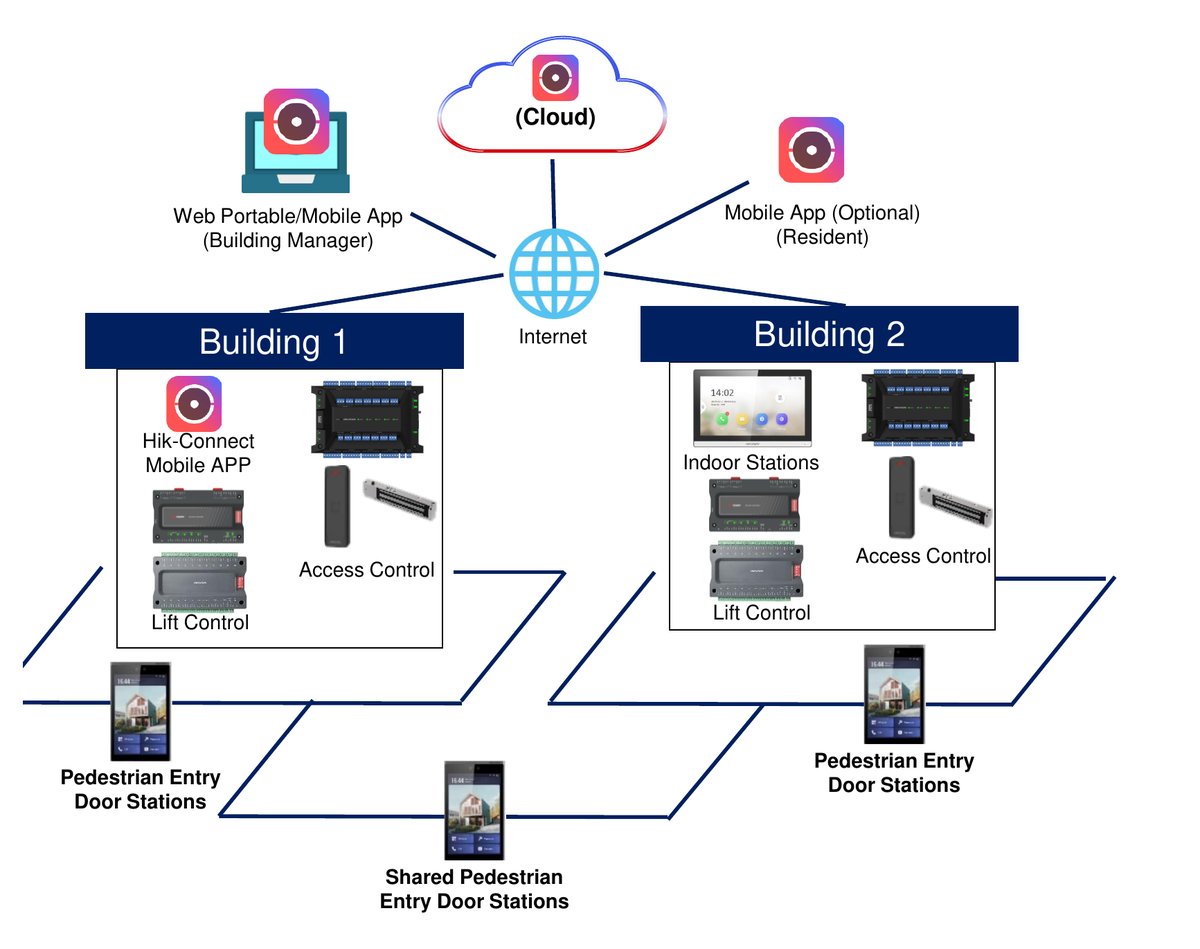
With cloud management, every door station and controller has to be online, because calls and access changes go through Hikvision’s cloud. Before choosing app-only, check:
- Is the building’s internet connection reliable enough that residents won’t miss visitors?
- Who provides and pays for the connection the intercom uses?
- Is the body corporate comfortable with yearly cloud licences for every apartment, door and lift?
On a new development, plan the intercom’s connection with the rest of the building’s fibre. See private fibre networks for developments.
Questions to ask before you choose
- How many residents would struggle with an app-only system?
- How reliable is the building’s internet today?
- Can cable reach every apartment without major work? (If there’s an old intercom, the existing cable may be reusable.)
- Does the building have a manager on site, or will it be managed remotely?
- What will the yearly licences add up to over the life of the system?
- Can phone answering be added later if we start with screens?
Not sure which suits your building?
We’ll look at the building, talk through how residents use the door, and quote in writing for screens, the app, or both.
Related reading
- Apartment intercom and access control in Auckland
- How to replace an old apartment intercom without rewiring
- How lift access control works in an apartment building
- Security for property managers
- Private fibre networks for developments
Frequently asked questions
Do residents have to use the phone app?
Not if the building has indoor screens. Residents answer on the screen, and the app is optional. In an app-only building, residents answer on their phone, so anyone without a smartphone needs a screen added to their apartment.
What happens to the phone app if the internet goes down?
Calls to phones won’t come through until the connection is back, because they go through Hikvision’s cloud. That’s why buildings with older residents or unreliable internet usually keep indoor screens, which work on the building’s own network.
Are there ongoing costs for the phone app?
Yes. Cloud management through Hik-Connect Team has yearly licences for apartments, doors and lifts. Indoor screens on an on-site system don’t need these yearly cloud licences, although the on-site software has its own licences. We set out the licences in the quote, so the body corporate can see the ongoing cost.
Can visitors and couriers get a code to get in?
Yes, with cloud management. Residents or the building manager can create a temporary pass: a QR code or PIN that works for a set time and number of uses. Every use is recorded, so you can see when it was used.
Can we add phone answering to a screen system later?
Often, yes. Wi-Fi models of Hikvision’s indoor screens can link to the Hik-Connect app, so residents can answer on their phone too. If the existing screens aren’t Wi-Fi models, they may need replacing. We’ll tell you on a site visit.
Which option is cheaper?
The phone app costs less upfront because there are no screens or apartment cabling, but it has yearly licences. Screens cost more upfront, without the yearly cloud licences. We quote both for your building, so the body corporate can compare them over the life of the system.
Who wrote this
Namra Shah installs security systems and structured cabling across Auckland through Cabling For U. PSPLA Company Licence 25-132031 (Security Technician), SiteSafe Passport holder, $10M public liability. Cabling For U is a trading name of HARIKRUPA LIMITED, NZBN 9429046975126, incorporated 22 August 2018. Every install carries a 12-month workmanship warranty.
Weighing up screens and the app for your building? Book a free site survey or call 0800 222 546.