
Servicing Auckland wide · Free site survey Warkworth to Manukau
For body corporates, property managers and developers

Apartment intercom and access control, without rewiring the building

Video intercom, door access and lift control for Auckland apartment buildings, from one Hikvision system. Upgrade an old intercom using the cable already in the walls, or design it in from the plans on a new development.

  • Reuse old intercom cable where it's sound
  • Visitors only reach the floor they're visiting
  • Your building owns the system and the accounts

Book a free site survey

Tell us about the building. We'll arrange a visit and quote in writing.

No obligation. We reply within 1 hour, 24/7.

PSPLA licensedHikvision installer12-month workmanship warrantyMaintenance plan available
In short

What is an apartment intercom system?

An apartment intercom system lets visitors call an apartment from the building entrance, and lets residents see who's there and unlock the door from a screen or their phone. Most systems also include card access for doors and the carpark, and lift control so visitors only reach the floor they're visiting.

We install Hikvision apartment intercom systems across Auckland, for new developments and for existing buildings where the old intercom has had its day.

Pick your building

Three ways to do it in an Auckland apartment building

The right system depends on whether the building is new, what cable is already there, and whether residents want a screen on the wall or the door on their phone.

New development

An IP intercom designed in from the plans, running on the building's data cabling and managed on site with HikCentral Professional. Door stations, screens, card access and lift control.

Existing apartment block

Hikvision 2-wire HD reuses the old intercom cable, so lived-in apartments don't need new wiring. HD video, door release and card access, with lift control added through an IP converter.

Phone app, no screens

Residents answer the door on the Hik-Connect app, and the building is managed online in Hik-Connect Team, with no server on site. The building needs reliable internet, and the app has yearly licences.

Not sure which fits? We'll tell you after a free site assessment.

Weighing up screens against the app? Read indoor screens or a phone app.

The system

Built on Hikvision's apartment system

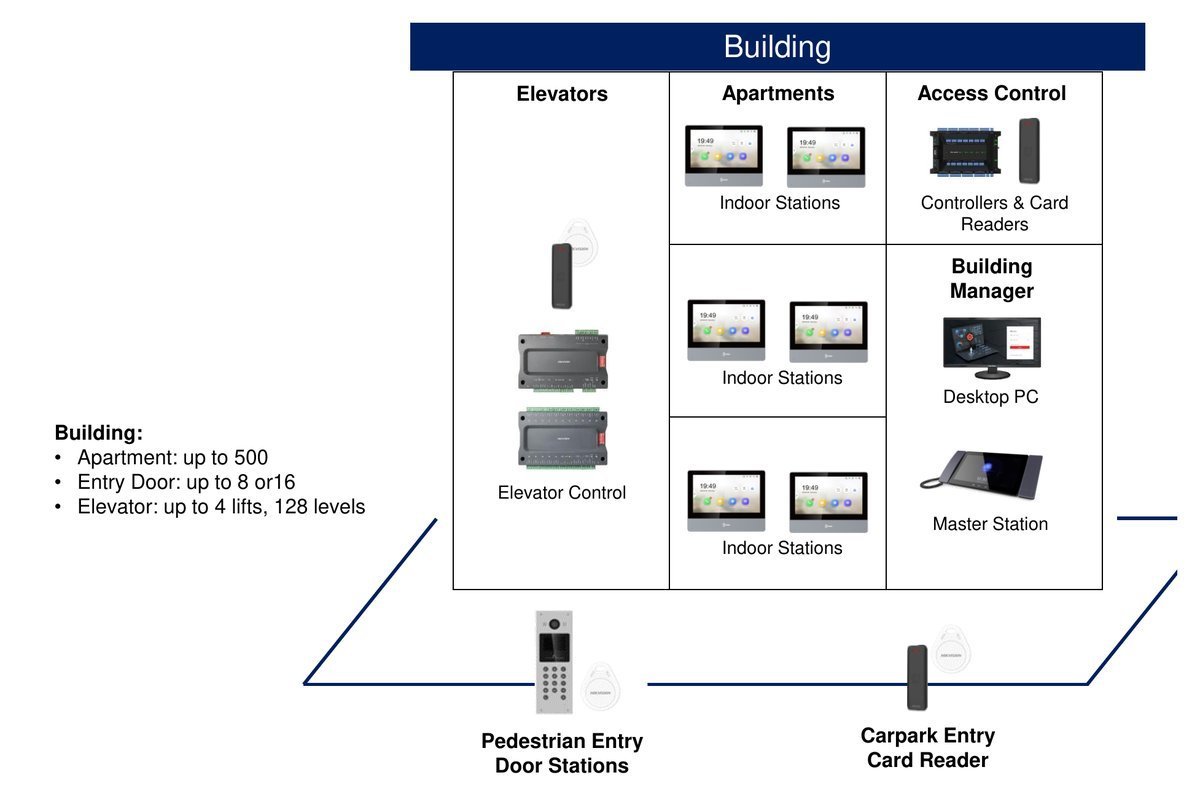
All three options come from Hikvision's apartment range, so door stations, screens, card readers and lift control work together. Here's how they compare. For offices and commercial buildings, see our access control installation.

On-site IP2-wire HDCloud
Best forNew developmentsExisting blocks with an old intercom cableBuildings that want phone answering and online management
Managed withHikCentral Professional, on siteSet up on the devices; HikCentral or the app through the IP converterHik-Connect Team web portal and Hik-Connect app
ApartmentsUp to 500 per buildingUp to 400 per buildingGrows with licences
Entrance door stationsUp to 8 or 16 per building, plus shared entrancesUp to 16 per building, plus up to 10 shared entrancesAs many as the building needs
Lift controlUp to 4 lifts, 128 floorsYes, through the IP converterYes
Screens per apartmentUp to 6 (one main, five extra)One main screen plus extrasOptional: the phone app works on its own
Front desk stationYesYes, through the IP converterBuilding manager uses the web portal
Needs internetNoNo (only for app answering)Yes
Hikvision apartment intercom layout: door stations, indoor screens, access control and lift control in one building
One system covers the entrance and carpark door stations, apartment screens, card access and lift control. Image: Hikvision
What it does

The front door, the carpark and the lift on one system

  • Visitors call the apartment from the entrance, and residents see who it is before they let them in
  • Residents use a card for the front door, the carpark and their floor in the lift
  • Residents send visitors and deliveries a QR code or PIN that works for a set time
  • Shared entrances work across more than one building
  • A front desk station for a concierge or security desk to answer and open doors
  • More than one screen per apartment, for example one upstairs
  • Missed a call? Residents see a photo of who rang
  • Building cameras can show on the indoor screens, alongside our CCTV installation
  • Every door opening is logged with the card and the time
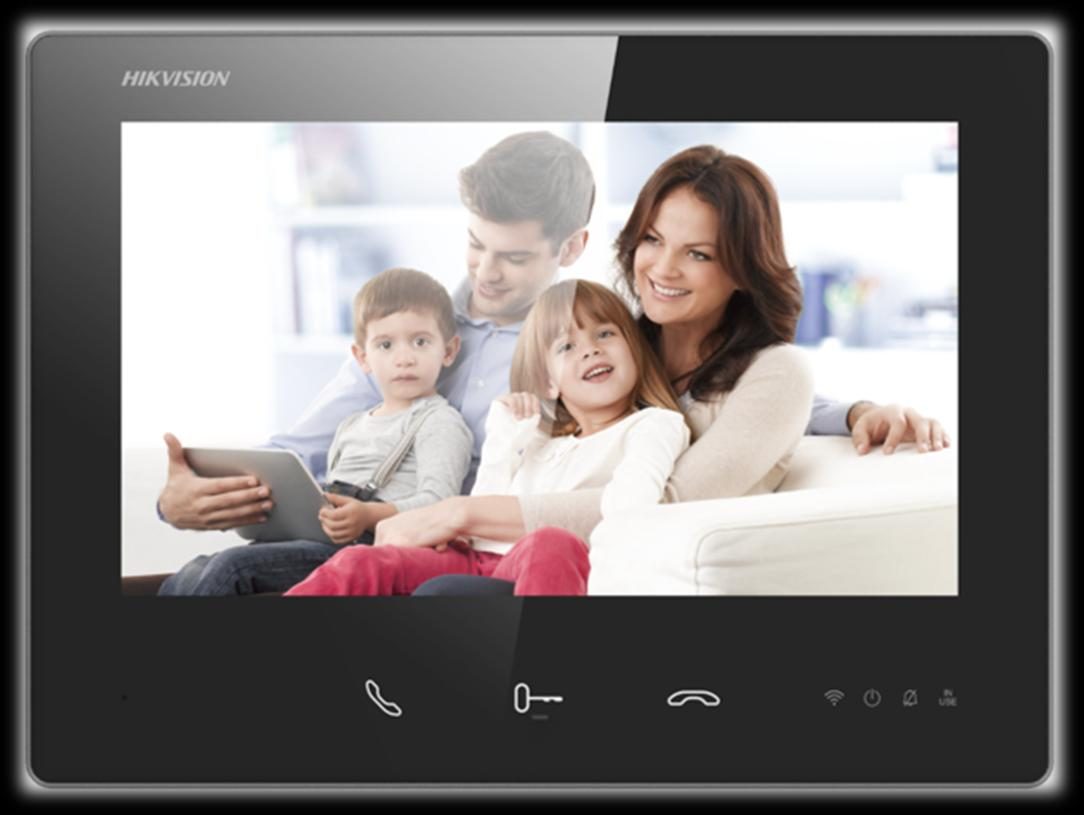
Hikvision indoor video intercom screen in an apartment
Image: Hikvision
Existing buildings

Upgrade an old Auckland apartment intercom without opening walls

Most older Auckland apartment blocks have a two-wire intercom cable running to every apartment. Hikvision's 2-wire HD system sends HD video, audio and door release over that same pair of wires, so the new system goes in without rewiring lived-in apartments.

We test the existing cable on a site visit first. Where it's sound, we reuse it. Where a run is damaged, we tell you before quoting, so there are no surprises halfway through the job.

Keeping the old cable doesn't mean missing out. Hikvision's 2-wire to IP converter links the building to IP equipment, so an older block can still have lift control, a front desk station and residents answering on their phones.

More detail for your body corporate: how to replace an old apartment intercom without rewiring.
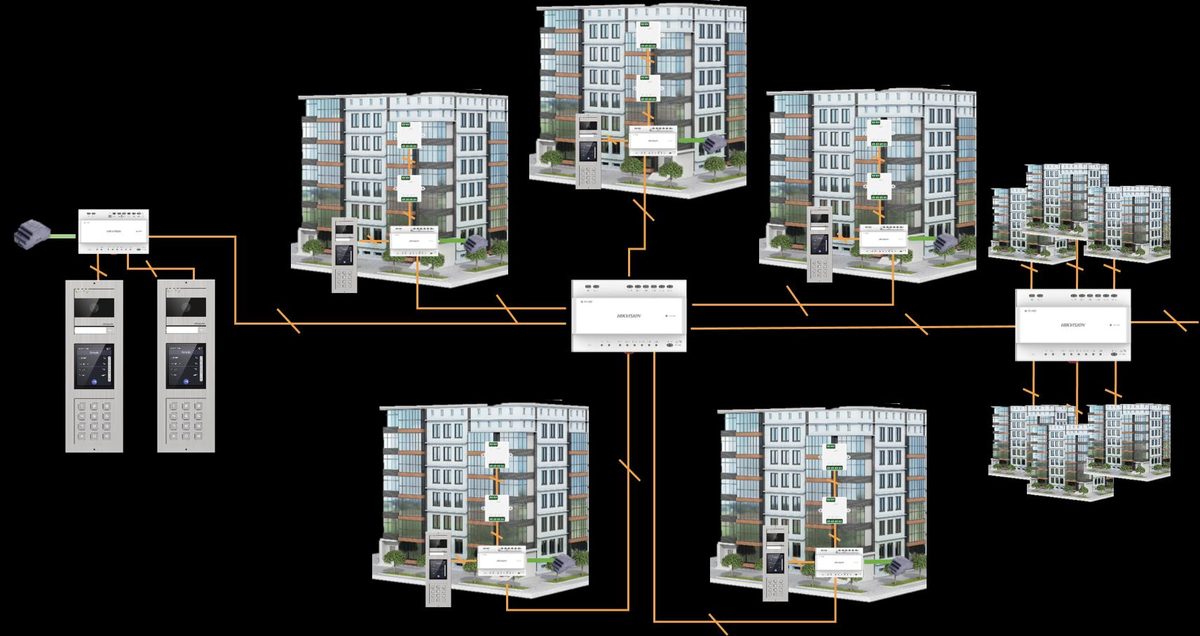
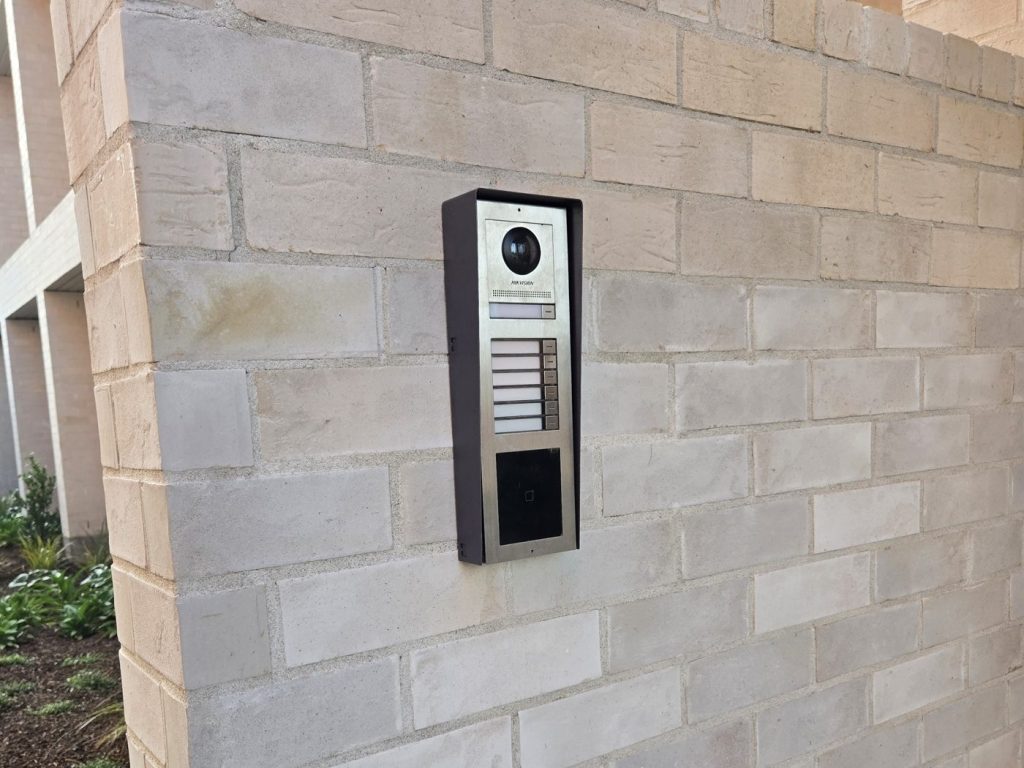
Hikvision 2-wire HD intercom connecting door stations to several apartment buildings
Image: Hikvision
Lift control

Visitors only reach the floor they're visiting

When a resident unlocks the door for a visitor, the lift releases only that resident's floor. Residents swipe their card in the lift to reach their own floor, and nobody else's. It works with up to four lifts per system.

We work with your lift company: they connect the lift side, and we install and set up the controllers, cards and floor permissions.

More detail: how lift access control works in an apartment building.

For building managers

Easy to run after we leave

  • Add or remove a resident or card in a few minutes, with access already set up by floor
  • Open doors and release lift floors remotely
  • See who opened which door, and when
  • Create time-limited passes for contractors and visitors
  • Set doors to stay open or locked on a schedule, or only unlock once the first person with a card arrives
  • Stop one card being passed back for someone else to use, on carpark and building entries
  • Make doors open one at a time, for airlocks and secure areas

The body corporate or building manager owns the system and its accounts. We train your manager at handover, and can look after the system under a maintenance plan. Looking after several buildings? See security for property managers. Indoor screens are simple for older residents and children to use, and the phone app is optional.

New developments

Building something new? Plan it with the fibre

On a new development, the intercom, access control and lift control run on the same cabling as the internet. We can design it all from your plans, alongside the private fibre network for your development, so one contractor looks after fibre, cabling, intercom, access and lifts.
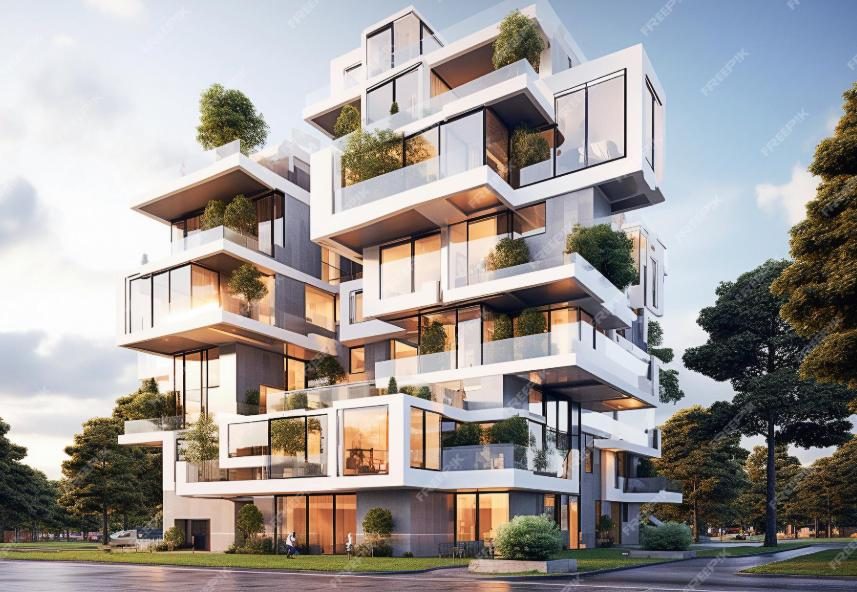
Modern apartment building with Hikvision intercom and access control
Image: Hikvision
How it works

From site visit to handover, in five steps

01

Free site assessment

We look at the entrances, lifts, existing cable and how the building is run.

02

Design

Door stations, screens or app, card access and lift control, laid out for your building.

03

Written quote

Itemised, so the body corporate can see exactly what it's approving.

04

Install

Planned around residents, with notice before work in any apartment.

05

Handover and training

Everything tested, residents set up, and your manager trained to run it.

From a recent job

“Amazing service from start to finish. The team upgraded our network, installed cameras, and set up monitoring. They took time to explain the system and answered all our questions. The workmanship is top-notch. Very happy with the result.”

Tarun Patel · Verified Google review · Network + CCTV upgrade

FAQs

On a new build rather than a retrofit, the intercom is one line in a larger package, see apartment development cabling.

Apartment intercom questions, answered

What is an apartment intercom system?
An apartment intercom system lets visitors call an apartment from the building entrance, and lets residents see who's there and unlock the door from a screen or their phone. Most systems also include card access for doors and the carpark, and lift control so visitors only reach the floor they're visiting.
Can we upgrade our old intercom without rewiring?
Often, yes. If the building has an existing two-wire intercom, Hikvision's 2-wire HD system can reuse that cable for video calls and door release, so we don't need to open walls in lived-in apartments. We check the existing cable on a site visit first, because its condition decides what can be reused.
Do residents need a screen in their apartment, or can they use their phone?
Either, or both. Residents can have a screen inside the apartment, answer on the Hik-Connect phone app, or both. The app option suits buildings where running new cable to every apartment is hard, and it lets residents answer the door when they're away from home.
Does the phone app version need internet in the building?
Yes. With cloud management, the door stations and controllers need a reliable internet connection, because calls and access changes go through Hikvision's cloud. If the building can't rely on its internet, an on-site system with indoor screens is the better fit.
Can visitors only reach the floor they're visiting?
Yes, with lift control. When a resident unlocks the door for a visitor, the lift releases only that resident's floor. Residents swipe their own card in the lift to reach their floor. We set this up with your lift company, who connect the lift side.
Who manages residents and cards after handover?
Your building manager. Adding a new resident or card takes a few minutes in the management software or web portal, because access levels are already set up by floor and entrance. We train your manager at handover, and can support the system under a maintenance plan.
Who owns the system and the accounts?
The building does. The body corporate or building manager owns the system and its management accounts. We set it up, and when you ask us to help we work in it with our own installer access, so you never need to share your logins with us.
Do the doors unlock if the fire alarm goes off?
They can. The access control can be connected to the fire alarm so doors on escape routes release when the alarm goes off. Your fire engineer confirms what each door needs for the building's compliance schedule, and we wire and test it to that.
How much does an apartment intercom system cost?
Every building is quoted on its own, after a free site assessment. The number of apartments and entrances, whether lifts are included, whether existing cable can be reused, and screens versus the phone app all change the price. The phone app option also has yearly licences.

Old intercom playing up? Let's look at the building.

Book a free site survey. We'll check what can be reused and quote in writing for your building.
0800 222 546 Same-day response or first hour free Free site survey Free assessment

Frequently asked questions

Find answers to common questions about our cabling services, pricing and process. Can't find what you're after? Call us on 0800 222 546.

How much does network cabling cost?

Pricing depends on the number of data points, cable type (Cat6 / Cat6a / fibre) and building complexity. We provide free site surveys and upfront fixed-price quotes, no hidden costs. A single Cat6 outlet starts from $480, and each extra outlet from $195 + GST. Call 0800 222 546 to book yours.

Do you charge for site surveys and quotes?

No, site surveys and quotes are free. Book online or call 0800 222 546 and one of our team will come to you, assess the job, and give you a clear fixed price before any work begins.

How long does a typical install take?

A standard residential or small-office install is usually completed in a single day. Larger commercial or enterprise projects are planned with a clear timeline given before work begins, so you always know what to expect.

Are your technicians certified and licensed?

Yes. All installs are completed to AS/NZS 3080 standards, and any associated electrical work is carried out by licensed electricians. We are fully insured with $10M public liability cover.

What areas of Auckland do you service?

We service all of Auckland: Central, North Shore, West, East and South Auckland, plus the North including Orewa, Silverdale, Warkworth, Snells Beach and Mangawhai.

Do you provide a warranty on your work?

Yes. Every cabling install is tested, documented and backed by our 12-month workmanship warranty. If anything isn't right after your install, we'll come back and fix it.

Cat6 vs Cat6a, which cable should I choose?

For most homes and small offices, Cat6 is more than enough, it handles gigabit speeds easily and is more affordable. Cat6a suits businesses running heavy data, future-proofing for 10-gigabit networks, or longer cable runs. We'll recommend the right cable during your free site survey.

How much does CCTV installation cost in Auckland?

CCTV pricing depends on the number of cameras, indoor vs outdoor placement, recording method (NVR vs cloud) and cabling required. Most residential systems are a one-day install; commercial sites are quoted after a survey. Book a free site survey on 0800 222 546.

Can you install fibre optic cabling for my business?

Yes, we install indoor and outdoor fibre including OS2 single-mode and OM3/OM4 multi-mode for backbone runs, server rooms and inter-building links. All terminations are tested and certified to AS/NZS standards.

Do you provide after-hours or emergency callouts?

Yes. Real people answer Mon–Sun, and we offer emergency callouts for downed networks, broken cabling, camera failures and business-critical outages. Call 0800 222 546 anytime.

Can you add data points to an existing home or office?

Absolutely, adding data points to existing buildings is one of our most common jobs. We minimise wall damage, label every cable and tidy patch panels so future changes are easy. Most retrofits are completed in a single visit.

NS
Reviewed by Namra Shah · Founder & Director All installs certified to AS/NZS 3080 · Kiwi-owned since 2018

Still have a question about your cabling job?

Free site survey and quote, or book your job online today. Team available Mon–Sun.

Real photos from our jobs

Serving Auckland since 2018
About Cabling For U

Auckland's trusted cabling crew

Cabling For U is a Kiwi-owned network cabling, fibre and security specialist, wiring homes and businesses across the city since 2018. From a single data point to a full multi-site rollout, we do it once, do it properly, and hand over the test reports.

Founded by Namra Shah, we've built our name on one simple promise: same-day response, or your first hour is free. Our own team, no call-centres. Just certified work, fixed prices and tidy installs you don't have to think about again.

350+
Jobs since 2018
5.0★
5.0★ on Google
100%
Kiwi-owned

See it on a real job

Case study: building-wide TV restored for a multi-dwelling property. All case studies.

Equipment we install and support

Supplied through New Zealand distributors

Licensed and insured

Genuine New Zealand-channel stock with manufacturer warranty, installed by our own team. Fluke-tested where copper is involved, labelled at both ends, and covered by our 12-month workmanship warranty. Read our guarantees

The fast-response cabling crew

Cat6, fibre, Wi-Fi, CCTV & alarms, installed, tested and certified. Same-day response, or your first hour is free. Conditions apply.

Free site survey · fixed-price quote in 24 hours · Auckland-wide