
What CCTV installation costs in Auckland, and why we quote in writing
By Namra Shah · Cabling For U · Auckland · Updated October 2026
Search for CCTV prices in Auckland and you get numbers all over the place, monthly-fee deals and installers who won't commit to anything until they've talked to you. This guide explains what actually sets the cost of a wired Hikvision CCTV system, the hidden costs worth checking for, and how to get a fixed price you can hold us to.
Short answer: a standard 4-camera Hikvision system (6MP AcuSense cameras, 4TB recorder) is $3,590 incl. GST installed in Auckland. A 1-camera system with recorder starts from $880, and a 6 to 8 camera 4K system from $5,426 (all prices + GST). Your exact price depends on the cable runs, so we confirm it in a fixed, itemised written quote within 24 hours of a free site check.
Ready to have cameras put in? See our CCTV installation in Auckland service: what’s included, how we install, and how to book a free site check.
- Free site survey, then a fixed quote within 24 hours
- Itemised quote, no hidden costs or surprises
- 12-month workmanship warranty
What real Auckland CCTV jobs have cost
We still quote every job in writing after looking at the site, because two homes with the same number of cameras can need very different cable runs. But you should not have to guess. These are real CCTV jobs we have done in Auckland, and the price the customer agreed to.
| Job | What was included | Price |
|---|---|---|
| Install only: one customer-supplied camera at the back of a house | Customer bought the camera. We mounted it, powered it, connected it to their app and tested it. | $290 incl GST, fixed |
| CCTV refresh, Epsom: 15 cameras swapped and 9 new cameras added. Read the case study | Cameras, recorder, cabling, conduit, consumables, travel and labour. One price for the lot. | $6,840 + GST ($7,866 incl GST) |
| Typical 4-camera Hikvision system for a 3 to 4 bedroom home | 4 cameras (2K), 2TB recorder, one tested cable per camera, app setup and handover | $3,590 |
What moves the price up or down: how far each cable has to run, whether there is roof or underfloor access, which camera each spot needs (ColorVu night colour, varifocal zoom, number plate cameras), and how much recording storage you want.
What does not change: once you accept our written quote, that is the price. If the job changes on the day, we tell you and get your OK in writing before any extra work is done. No invoice goes above your quote without a variation you have approved.
Want a real number for your place? Book a site check or call 0800 222 546. For a new system the site check is free, and you get a fixed, itemised written quote within 24 hours. If you already have cameras and want them fixed, checked or upgraded, that is a service callout: $75 + GST for the first hour, which covers travel and the first hour on site. See our rates.
Why we still quote every job in writing
Two houses on the same street can need the same four cameras and still be very different jobs. One has an easy roof space directly above every camera position. The other is a two-storey home with a skillion roof, a concrete block garage and a recorder that has to live at the other end of the house. The cameras cost the same. The cabling and the hours don't.
That is why the prices above are a guide, not a quote for your place. We look at the site, work out the cable routes and give you one fixed number in writing.
The four things that set the price
1. Number of cameras
Each camera means another cable run, another mounting point and another channel on the recorder. Most homes need fewer cameras than they think once the positions are planned properly. We'd rather cover the entry points well than scatter cameras everywhere.
2. Which cameras
Hikvision makes cameras for very different jobs. Standard fixed cameras suit most entry points. AcuSense filters alerts down to people and vehicles. ColorVu gives colour at night. Varifocal and higher-resolution models suit driveways and long views. Choosing the right model for each spot matters more than buying the most expensive camera everywhere.
3. Cable runs
This is the biggest variable. Roof access, wall construction, storeys, distance to the recorder and whether cable can be hidden all change the hours. We run proper Cat6 cable to every camera, concealed in the roof and walls wherever the building allows, not surface-clipped.
4. Recorder and storage
The recorder (NVR) needs enough channels for your cameras and enough hard-drive space for the footage you want to keep. More cameras, higher resolution and longer retention all need more storage. We size it to how you'll actually use the footage.
Typical system sizes
These are the shapes most Auckland jobs fall into, with our standard prices. Your exact price is confirmed in writing after the site check.
| System | Usually suits | What changes the price most | Price |
|---|---|---|---|
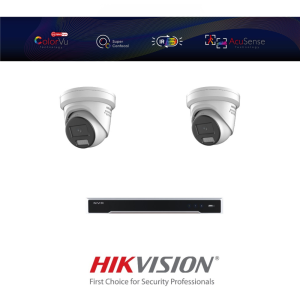
| 1 to 2 cameras | A flat, townhouse or a single entry point that matters | Where the recorder goes and how far the cable has to travel | From $880 1 camera + recorder |
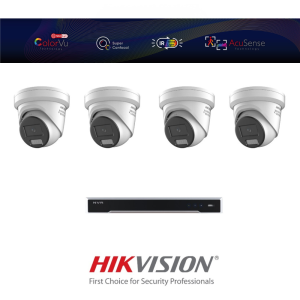
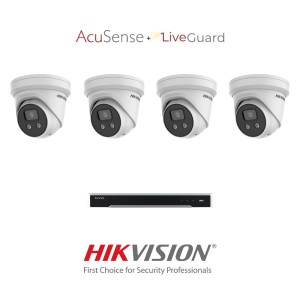
| 4 cameras | A typical 3 to 4 bedroom home: front door, driveway, back door, side path | Roof access and whether any camera needs ColorVu or a varifocal lens | $3,590 4 cameras (2K), 2TB recorder |
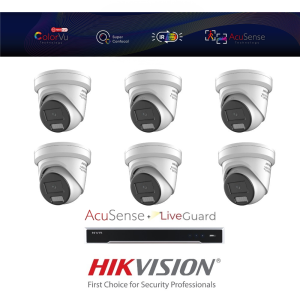
| 6 to 8 cameras | Larger homes, shops, small offices and multi-tenant sites | Cable distances, storage for more channels, and any after-hours work | From $5,426 6 to 8 cameras (4K) |
For businesses with more sites or bigger camera counts, see security camera installation in Auckland.
Hidden costs to check for
- Grey-market equipment. Cameras and recorders bought outside the official NZ channel can be cheaper but may not be covered by local warranty or firmware support. Ask where the equipment was sourced.
- Monthly contracts. Some deals spread the cost over a long contract. Add up the full term before you sign. We don't sell CCTV on a monthly contract: you own the system, and app viewing is set up in Hik-Connect as part of the install.
- Cheap cable and surface clips. Low-grade cable and exposed runs fail sooner and look untidy. Ask what cable is being used and where it will run.
- Extras that appear on the day. Ask whether the quote includes the recorder, hard drive, mounting, configuration, app setup and handover. Ours does, line by line.
Wired or wireless?
A battery or Wi-Fi camera can be fine for a single doorbell or a renter who can't run cable. For a home or business that wants reliable recording, a wired PoE system is the better buy: one cable carries power and video, nothing needs charging, and footage keeps recording to the recorder even if the internet drops.
If you're weighing up camera ranges, our Hikvision camera range guide and Hikvision vs HiLook explain the options.
What's in our quote
After a free site survey, you get a fixed, itemised written quote within 24 hours. It lists:
- each camera, the model and where it goes
- the recorder and hard drive, sized to your retention needs
- the cabling and how it will be run
- configuration, motion zones, Hik-Connect app setup and handover
Every install is cabled to AS/NZS 3080, tested and labelled, and carries a 12-month workmanship warranty. Your recorder and app passwords stay with you.
Want a real number for your place?
We'll walk the site, plan each camera position and give you a fixed written quote within 24 hours. Hikvision is our CCTV range.
Book a free CCTV site checkCall 0800 222 546Related reading
- Hikvision CCTV installation in Auckland
- The Hikvision camera range, explained
- AcuSense vs basic motion detection
- Hikvision ColorVu explained
Frequently asked questions
How much does CCTV installation cost in Auckland?
A standard 4-camera Hikvision AcuSense system (6MP AcuSense cameras, 8-channel recorder with 4TB) starts from $3,590 incl. GST installed. A 1-camera system with recorder starts from $880, and 6 to 8 camera 4K systems from $5,426. Real examples: installing one customer-supplied camera cost $290 incl GST, and a 24-camera refresh in Epsom (15 swapped, 9 new) cost $6,840 + GST including the cameras, recorder, cabling and labour. You get a fixed, itemised written quote within 24 hours of a free site check.
Do you publish CCTV prices?
Yes. Our standard prices are on this page: $880 for a 1-camera system with recorder, $3,590 for a standard 4-camera system and from $5,426 for 6 to 8 cameras. We still confirm every job in a fixed written quote after seeing the site, because roof access, wall construction and cable distance can change the work. Once you accept the quote, that is the price.
Is it cheaper to install CCTV yourself?
The kit can be cheaper, but most of the work in a wired system is the cabling: getting cable through the roof and walls, terminating it and weatherproofing each camera. A single doorbell camera is a reasonable DIY job. For four or more wired cameras, the time and risk usually outweigh the saving.
How long does a CCTV install take?
A typical four-camera home is usually done in a day. Larger homes and commercial systems with longer cable runs can take longer. We confirm the timing in your written quote.
Which CCTV brand do you install?
Hikvision, including its HiLook range. We install and support one range so we know it properly, from camera choice through to app setup.
Are there ongoing monthly fees?
We don't sell CCTV on a monthly contract. You own the system, and phone viewing is set up in the Hik-Connect app as part of the install.
Who wrote this
Namra Shah installs and services security systems and structured cabling across Auckland through Cabling For U. PSPLA Company Licence 25-132031 (Security Technician), SiteSafe Passport holder, $10M public liability. Every install carries a 12-month workmanship warranty.